Data has become one of the most valuable assets for businesses today. Almost every department, whether it’s finance, sales, HR, operations, or management, depends on data to make decisions and keep things running smoothly.
And when we talk about managing business data, Microsoft Excel is still one of the most commonly used tools across the world.
From maintaining sales reports and budgets to analyzing customer information and creating dashboards, Excel plays a huge role in day-to-day business operations.
But there is one challenge many organizations often overlook.
How secure is the data stored inside those Excel files?
As businesses continue moving toward remote work, cloud collaboration, and digital workflows, simply storing spreadsheets on a laptop or sharing files through email is no longer the safest approach.
This is where Microsoft Cloud Services come into the picture.
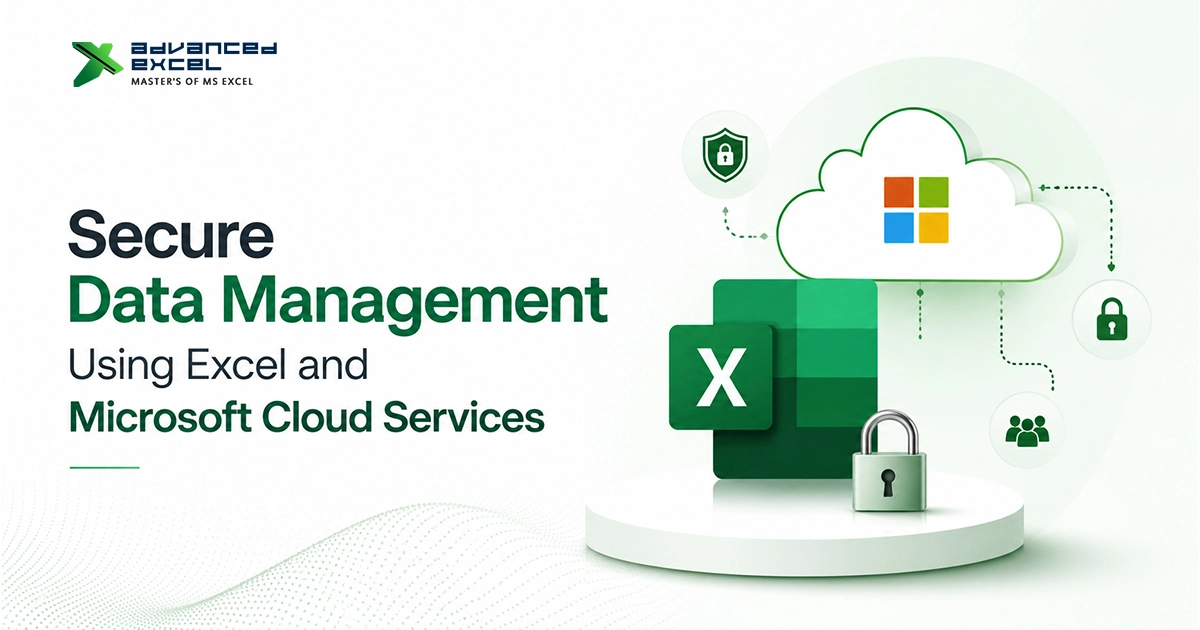
Tools like OneDrive, SharePoint, Microsoft 365, and Azure help businesses not only manage Excel files more efficiently but also improve security, accessibility, backup, and compliance.
In this guide, we’ll look at how Excel and Microsoft cloud services work together to create a secure data management environment for modern businesses.
Why Secure Data Management Matters More Than Ever
A few years ago, most business data stayed inside office computers and internal servers.
Today, things are very different.
Employees work remotely, teams collaborate across different locations, and data is constantly being shared between departments and devices.
While this flexibility improves productivity, it also increases security risks.
Businesses face threats such as:
- Data breaches
- Ransomware attacks
- Accidental file deletion
- Unauthorized access
- Insider threats
- Compliance violations
Even a single lost spreadsheet containing customer information or financial records can create major problems.
That’s why secure data management is not just an IT concern anymore. It’s become a business priority.
Why Excel Is Still So Important for Businesses
Despite the availability of many modern business applications, Excel continues to be the go-to tool for managing and analyzing data.
Businesses use Excel for:
- Financial reporting
- Budget planning
- Sales tracking
- Payroll management
- Inventory monitoring
- Data analysis
- Forecasting
- Business dashboards
The reason is simple.
Excel is flexible, easy to use, and powerful enough to handle both simple and complex business tasks.
However, because Excel files often contain sensitive information, protecting them should be part of every organization’s security strategy.
Common Risks When Managing Excel Files
Many businesses still rely on traditional methods of storing and sharing spreadsheets.
For example:
- Saving files only on local computers
- Sharing spreadsheets through email attachments
- Using USB drives for data transfer
- Maintaining multiple file versions
While these methods may seem convenient, they can create several security and management challenges.
Version Control Problems
Have you ever received multiple copies of the same spreadsheet with names like:
- Report_Final.xlsx
- Report_Final_v2.xlsx
- Report_Final_Updated.xlsx
It happens all the time.
When several people work on different versions, confusion quickly follows.
Important updates can get lost, and reporting errors becomes more likely.
Risk of Data Loss
Computers fail. Hard drives crash. Files get deleted accidentally.
And sometimes employees overwrite important data without realizing it.
If the only copy of an Excel file exists on one device, recovering lost information can become difficult or even impossible.
Unauthorized Access
Not every employee needs access to every spreadsheet.
Without proper access controls, sensitive information may end up being viewed, edited, or shared by the wrong people.
This can create serious security and compliance issues.
How Microsoft Cloud Services Improve Excel Data Security
Microsoft has invested heavily in cloud technologies to help businesses manage and protect information more effectively.
Instead of keeping Excel files scattered across devices, organizations can centralize data in secure cloud environments.
Microsoft cloud services provide:
- Secure storage
- Automated backups
- Access management
- Data encryption
- Real-time collaboration
- Threat monitoring
- Compliance support
Together, these features help businesses reduce risks while improving productivity.
Using OneDrive for Secure Excel File Storage
OneDrive is often the first cloud solution businesses adopt when moving Excel files to the cloud.
Instead of storing spreadsheets only on local devices, files can be saved directly in OneDrive and accessed whenever needed.
This offers several advantages.
Automatic Backup
One of the biggest benefits of OneDrive is automatic synchronization.
Whenever a file is updated, changes are automatically saved and backed up.
This reduces the risk of losing important business information.
Access From Anywhere
Whether employees are working from the office, home, or traveling, they can securely access files using authorized devices.
This flexibility has become especially important for hybrid work environments.
Version History
Mistakes happen.
Sometimes important information gets deleted or overwritten.
Fortunately, OneDrive maintains version history, allowing users to restore previous versions of a file when needed.
That alone can save hours of work.
SharePoint for Better Team Collaboration
While OneDrive works well for individual file management, SharePoint is designed for team collaboration and enterprise document management.
Many organizations use SharePoint as a centralized location for business documents and Excel workbooks.
SharePoint helps businesses:
- Organize files centrally
- Control user permissions
- Track document activity
- Maintain version control
- Improve collaboration
Instead of emailing spreadsheets back and forth, teams can work on the same file from a single location.
This reduces duplication and keeps everyone working with the latest information.
Microsoft 365 Security Features That Protect Excel Data
Microsoft 365 includes several built-in security features that strengthen data protection.
Multi-Factor Authentication (MFA)
Passwords alone are no longer enough.
Cybercriminals have become very good at stealing login credentials.
Multi-Factor Authentication adds a layer of protection by requiring users to verify their identity through another method, such as a mobile device or authentication app.
Even if a password is compromised, attackers still face another security barrier.
Data Loss Prevention (DLP)
Data Loss Prevention helps organizations prevent sensitive information from being shared inappropriately.
Businesses can create policies that automatically identify and protect information such as:
- Customer records
- Financial data
- Employee information
- Confidential reports
This helps reduce accidental data exposure.
Information Protection
Microsoft Information Protection allows organizations to classify and label sensitive documents.
For example, an Excel file can be marked as:
- Public
- Internal
- Confidential
- Highly Confidential
Security policies can then be applied automatically based on those classifications.
The Importance of Data Encryption
Encryption is one of the most important security measures available today.
Microsoft cloud services protect data through encryption both while it is stored and while it is being transmitted.
Data at Rest
Files stored in OneDrive and SharePoint are encrypted while sitting on Microsoft’s servers.
Data in Transit
When users access or transfer files, the information is also encrypted during transmission.
This makes it much more difficult for attackers to intercept sensitive data.
Secure Collaboration Without Creating Multiple File Versions
One of the biggest frustrations many businesses face is managing multiple versions of the same spreadsheet.
Cloud-based Excel collaboration solves this problem.
Multiple users can work on the same workbook simultaneously, with changes updated in real time.
This improves:
- Productivity
- Accuracy
- Team coordination
- Decision-making
And because permissions can be controlled centrally, security isn’t sacrificed for convenience.
Managing Access to Sensitive Information
Not everyone in an organization needs access to every spreadsheet.
With Microsoft cloud services, administrators can define exactly who can:
- View files
- Edit files
- Share files
- Download files
This level of control helps reduce insider threats and accidental exposure of sensitive information.
Many organizations follow the principle of least privilege, meaning users receive only the access they actually need to perform their jobs.
Supporting Compliance Requirements
Many industries must comply with regulations governing how information is stored and protected.
Examples include:
- GDPR
- HIPAA
- ISO 27001
- SOC 2
- Financial regulations
Microsoft cloud platforms include tools that support compliance through:
- Audit logs
- Access tracking
- Retention policies
- Data governance controls
This makes compliance management much easier compared to traditional file storage methods.
Best Practices for Secure Excel Data Management
Technology alone isn’t enough.
Organizations should also follow good security practices.
Some recommended steps include:
- Enable Multi-Factor Authentication
- Use strong passwords
- Store files in approved cloud locations
- Limit user access
- Review permissions regularly
- Backup critical data
- Train employees on security awareness
- Monitor file activity
Small improvements can often prevent major security incidents.
The Future of Secure Data Management
As businesses continue to generate larger amounts of information, data security requirements will continue to evolve.
We’re already seeing increased adoption of:
- AI-powered threat detection
- Automated compliance monitoring
- Intelligent data classification
- Zero Trust security frameworks
- Advanced cloud security solutions
Microsoft continues investing heavily in these technologies, helping organizations stay ahead of emerging threats.
Businesses that combine Excel expertise with modern cloud security practices will be in a much stronger position moving forward.
Final Thoughts
Excel remains one of the most valuable business tools available today. But as data volumes grow and security threats become more sophisticated, managing spreadsheets securely has become just as important as creating them.
By combining Excel with Microsoft cloud services such as OneDrive, SharePoint, Microsoft 365, and Azure, businesses can improve security, simplify collaboration, strengthen compliance, and reduce the risk of data loss.
The goal isn’t simply storing files in the cloud.
It’s about creating a secure, scalable, and efficient data management environment that supports business growth while protecting valuable information.
For organizations looking to improve both productivity and security, integrating Excel with Microsoft cloud services is becoming less of an option and more of a necessity.