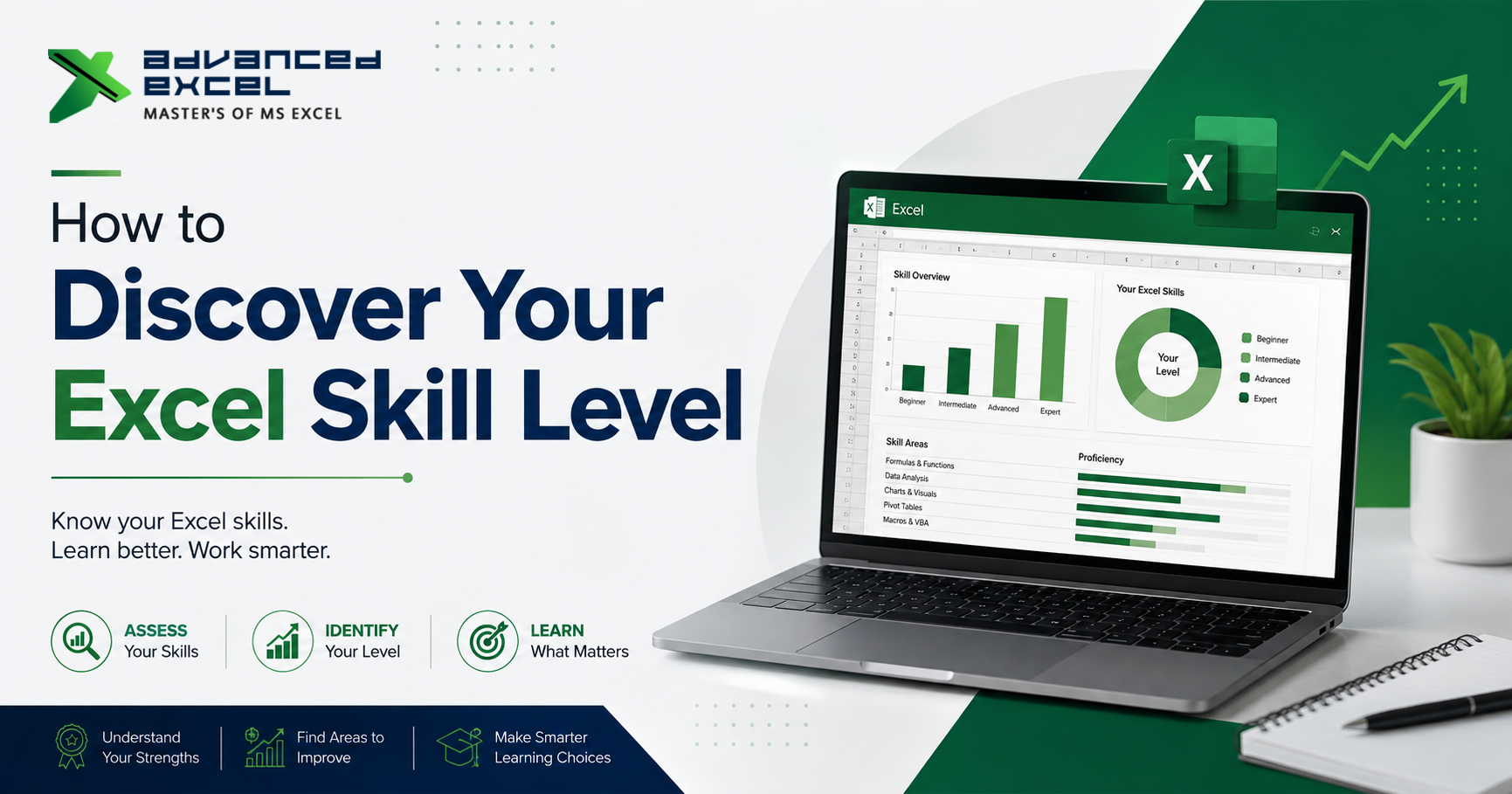
Many people use Microsoft Excel every day, but when asked, “What is your Excel skill level?”, they are not always sure what to answer.
You may know how to create tables, use SUM and IF formulas, format reports, or create charts. But does that make you an intermediate Excel user? Or are you already working at an advanced level?
The answer depends less on how long you have been using Excel and more on what you can actually do with it.
Your Excel skill level can be measured by your ability to organize data, use formulas, analyze information, create reports, build dashboards, automate repetitive tasks, and solve real-world problems.
This guide will help you understand how to discover your Excel skill level, identify your strengths and weaknesses, and decide what you should learn next.
Why Is It Important to Know Your Excel Skill Level?
Before learning advanced Excel, it is useful to understand where you currently stand.
Someone who has used Excel for five years may still be comfortable only with basic formulas. Another person who has used Excel for one year may already be working with Pivot Tables, XLOOKUP, Power Query, dashboards, and VBA.
So, years of experience do not automatically determine Excel proficiency.
Knowing your current level can help you:
- Choose the right Excel course
- Avoid learning topics you already understand
- Identify gaps in your knowledge
- Prepare for Excel-based job interviews
- Improve your workplace productivity
- Understand which advanced skills you should learn next
- Build confidence when working with business data
A simple skill assessment can therefore save both time and effort.
What Are the Different Excel Skill Levels?
There is no single official system that defines everyone’s Excel level. However, for practical learning and workplace purposes, Excel skills can generally be divided into four stages:
- Beginner
- Intermediate
- Advanced
- Expert
Let’s understand what each level actually means.
1. Beginner Excel Skills
A beginner is generally comfortable with the basic Excel interface and simple spreadsheet operations.
You may be at the beginner level if you can perform tasks such as:
- Entering and editing data
- Creating basic spreadsheets
- Formatting cells
- Adjusting rows and columns
- Using basic sorting and filtering
- Creating simple tables
- Using basic formulas
- Saving and organizing Excel files
- Performing simple calculations
Common Beginner Excel Formulas
At this stage, you should normally understand formulas such as:
SUMAVERAGEMINMAXCOUNTCOUNTA
You should also understand basic mathematical operators such as:
+, -, *, and /.
Example
If you have sales data in cell B2, you should be able to calculate total sales using:
=SUM(B2:B20)
If this type of task feels comfortable, you have a good foundation.
2. Intermediate Excel Skills
Intermediate Excel users can do considerably more than simple data entry and calculations.
At this stage, you should be able to work with larger datasets and create more useful reports.
Important Intermediate Skills
You should be comfortable with:
- IF and nested IF formulas
- SUMIF and SUMIFS
- COUNTIF and COUNTIFS
- VLOOKUP
- XLOOKUP
- INDEX and MATCH
- Conditional Formatting
- Data Validation
- Advanced Sorting and Filtering
- Excel Tables
- Basic Charts
- Removing duplicates
- Text functions
- Date and time functions
For example, if you receive a sales report containing thousands of rows, you should be able to filter the data, identify specific records, calculate totals based on conditions, and create a meaningful summary.
Can You Solve Problems Without Searching for Every Formula?
This is an important test.
An intermediate Excel user does not necessarily remember every function. Instead, they understand which type of function or tool is required for a particular problem.
For example:
“I need to find an employee’s department from another table using their employee ID.”
An intermediate user should immediately think about lookup functions such as XLOOKUP, VLOOKUP, or INDEX-MATCH.
That problem-solving ability is more valuable than simply memorizing formulas.
3. Advanced Excel Skills
If you regularly work with complex datasets, reporting, dashboards, or business analysis, you may already be operating at an advanced level.
An advanced Excel user should be comfortable combining multiple Excel features to solve practical business problems.
Advanced Excel Skills Include:
- Complex formulas
- XLOOKUP
- INDEX-MATCH
- Dynamic formulas
- Advanced Pivot Tables
- Pivot Charts
- Slicers
- Interactive dashboards
- Advanced conditional formatting
- Data cleaning
- What-If Analysis
- Advanced charts
- Power Query
- Data modeling concepts
- Large dataset management
- Formula optimization
For example, instead of simply creating a sales table, an advanced user can build a dashboard where a manager can select a region, salesperson, product, or month and instantly view updated results.
This is where Excel starts becoming more than a spreadsheet tool.
4. Expert-Level Excel Skills
Expert-level Excel users go beyond formulas and reporting.
They understand how Excel can be used to automate processes, build sophisticated reporting systems, and solve complex business problems.
Some expert-level capabilities include:
- VBA programming
- Macro development
- Process automation
- Advanced dashboard development
- Complex data models
- Advanced Power Query workflows
- Error handling
- Performance optimization
- Automated reporting
- Custom Excel solutions
- Integration with other business processes
For example, imagine that your company prepares the same monthly MIS report every month.
A basic Excel user may manually copy and paste the information.
An advanced user may use formulas, Pivot Tables, and Power Query to reduce the manual work.
An expert Excel user may develop an automated workflow using VBA or other Excel automation techniques.
The difference is not simply knowledge of more functions. It is the ability to design a reliable solution to a business problem.
How to Test Your Excel Skill Level
One of the easiest ways to discover your Excel skill level is to test yourself using real-world tasks.
Instead of asking:
“How many Excel formulas do I know?”
Ask:
“What can I actually accomplish using Excel?”
Try the following self-assessment.
Excel Skill Level Self-Assessment
Beginner Test
Can you:
- Create and format a spreadsheet?
- Use basic formulas?
- Sort and filter data?
- Create a basic chart?
- Use SUM and AVERAGE?
- Format numbers, dates, and percentages?
- Freeze rows and columns?
If yes, you likely have beginner-level Excel skills.
Intermediate Test
Can you:
- Use IF and nested IF?
- Use SUMIFS and COUNTIFS?
- Use VLOOKUP or XLOOKUP?
- Work with Excel Tables?
- Create Pivot Tables?
- Apply Conditional Formatting?
- Use Data Validation?
- Clean moderately sized datasets?
- Create professional reports?
If you can perform most of these tasks independently, you are likely at the intermediate level.
Advanced Test
Can you:
- Build interactive dashboards?
- Create advanced Pivot Table reports?
- Use XLOOKUP, INDEX-MATCH, and complex formulas?
- Work with large datasets?
- Use Power Query?
- Create dynamic reports?
- Combine multiple Excel functions to solve complex problems?
- Automate repetitive reporting tasks?
If most of these are comfortable for you, your Excel skills are likely advanced.
Expert Test
Can you:
- Write and modify VBA code?
- Create Excel macros?
- Automate repetitive business processes?
- Build reusable reporting templates?
- Debug VBA errors?
- Design complex dashboards?
- Create automated MIS systems?
- Optimize large Excel files?
- Develop customized Excel-based business solutions?
If yes, you may be working at an expert level.
A Simple Excel Skill Level Chart
| Skill Area | Beginner | Intermediate | Advanced | Expert |
|---|---|---|---|---|
| Data Entry | yes | yes | yes | yes |
| Basic Formulas | yes | yes | yes | yes |
| IF Functions | Basic | Good | Advanced | Advanced |
| Lookup Functions | Limited | Good | Advanced | Advanced |
| Pivot Tables | Basic/None | Good | Advanced | Advanced |
| Charts | Basic | Good | Advanced | Expert |
| Dashboards | No | Basic | Good | Advanced |
| Power Query | No | Basic | Good | Advanced |
| VBA/Macros | No | No/Basic | Basic | Advanced |
| Automation | No | Limited | Good | Expert |
| Complex Data Analysis | Limited | Good | Advanced | Expert |
Remember that this table is a practical guideline, not an official certification scale.
How Long You Have Used Excel Doesn’t Define Your Level
This is one of the biggest misconceptions about Excel.
Someone might say:
“I have been using Excel for eight years, so I am an advanced user.”
But what matters is how you use Excel.
If most of your work involves:
- Entering information
- Formatting cells
- Copying and pasting
- Basic calculations
then you may still be at a beginner or intermediate level.
On the other hand, someone with only two years of experience who regularly builds dashboards, uses Power Query, writes complex formulas, and automates reports could have advanced Excel skills.
Skill is measured by capability, not simply experience.
Look at the Type of Work You Perform
Another useful way to discover your Excel skill level is to analyze your daily work.
Ask yourself:
Do you mainly enter data?
You may be at the beginner level.
Do you create formulas and reports?
You may be at the intermediate level.
Do you analyze large datasets and build dashboards?
You may be at the advanced level.
Do you automate complete reporting processes?
You may be approaching expert level.
Your regular work often provides a more realistic assessment than a simple multiple-choice test.
Identify Your Weakest Excel Skill Area
Your overall Excel level is not necessarily the same across every skill.
For example, you might be:
- Advanced in formulas
- Intermediate in dashboards
- Beginner in VBA
- Advanced in Pivot Tables
- Intermediate in Power Query
This is completely normal.
Instead of saying:
“I am bad at Excel.”
Try identifying the specific area where you need improvement.
For example:
Formula Skills: Advanced
Data Analysis: Intermediate
Dashboard: Intermediate
Power Query: Beginner
VBA: Beginner
Now you have a much clearer learning roadmap.
Take a Practical Excel Challenge
A practical test is often one of the best ways to evaluate your Excel skills.
Take a sample dataset containing:
- Employee information
- Sales figures
- Product details
- Dates
- Regions
- Targets
Then try to complete the following tasks.
Task 1: Clean the Data
Remove duplicates, identify blank values, correct formatting, and standardize the data.
Task 2: Create Calculations
Calculate:
- Total sales
- Average sales
- Monthly sales
- Target achievement
- Growth percentage
Task 3: Use Lookup Functions
Find information from another table using an appropriate lookup function.
Task 4: Create a Pivot Table
Summarize sales by:
- Region
- Product
- Employee
- Month
Task 5: Build a Dashboard
Create charts and KPIs that communicate the most important business information.
Task 6: Automate the Process
If you can automate repetitive parts of the process using Power Query, formulas, or VBA, your skills are moving toward an advanced or expert level.
Why Practical Excel Skills Matter in the Workplace
Excel is used across many professional functions, including:
- Finance
- Accounting
- Human Resources
- Sales
- Operations
- Marketing
- MIS
- Business Analysis
- Data Analysis
- Project Management
The value of Excel comes from solving actual workplace problems.
For example, an MIS professional may need to prepare daily or monthly reports. A finance professional may need to analyze budgets. A sales manager may need to compare targets against actual performance.
In each case, knowing Excel features is useful, but knowing how to apply those features to a business problem is even more important.
How to Improve Your Excel Skill Level
Once you discover your current level, create a learning path instead of trying to learn everything at once.
If You Are a Beginner
Start with:
- Excel interface
- Basic formulas
- Formatting
- Sorting and filtering
- Tables
- Basic charts
- Cell references
Build a strong foundation first.
If You Are Intermediate
Focus on:
- Advanced formulas
- Lookup functions
- Pivot Tables
- Charts
- Data cleaning
- Conditional Formatting
- Data Validation
- Reporting
Try to solve real business problems rather than only completing formula exercises.
If You Are Advanced
Move toward:
- Power Query
- Advanced dashboards
- Data analysis
- Dynamic formulas
- Automation
- VBA
- Advanced reporting
The goal should be to reduce manual work and improve the quality of your analysis.
If You Are an Expert
Focus on:
- Process automation
- VBA development
- Advanced data workflows
- Performance optimization
- Reusable templates
- Business process improvement
At this stage, your goal is not simply to know more Excel features. It is to create better, faster, and more reliable solutions.
Where Can You Learn Advanced Excel Skills?
If your self-assessment shows that you need to strengthen your Excel knowledge, structured training can be useful, especially when you are not sure what to learn next.
Advanced Excel Institute focuses on Advanced Excel and VBA Macros training, with practical areas such as formula writing, data manipulation, Pivot Tables, dashboards, and VBA. The institute also provides individual, group, and corporate training programs.
The institute’s training approach emphasizes practical examples rather than learning Excel only through theory. Its corporate training also covers areas such as charts, Pivot Tables, Pivot Charts, slicers, formulas, and data analysis.
For learners who prefer online learning, Advanced Excel Institute also offers live online Excel and VBA training rather than relying only on pre-recorded sessions.
This type of structured learning can be particularly helpful when you already know the basics but are unsure how to move toward advanced Excel skills.
Frequently Asked Questions About Excel Skill Levels
How do I know what my Excel skill level is?
You can determine your Excel skill level by testing your ability to perform practical tasks involving formulas, lookups, Pivot Tables, data analysis, dashboards, Power Query, and automation.
What are the 4 levels of Excel skills?
A practical way to categorize Excel skills is Beginner, Intermediate, Advanced, and Expert. Each level represents increasing ability to analyze data, create reports, solve complex problems, and automate processes.
Is VLOOKUP considered an advanced Excel skill?
VLOOKUP is generally considered an intermediate Excel skill. However, the ability to combine lookup functions with other formulas and solve complex data problems indicates a higher level of Excel proficiency.
Is Pivot Table an advanced Excel skill?
Pivot Tables are generally considered an intermediate-to-advanced Excel skill. Basic Pivot Tables can be learned relatively quickly, while advanced Pivot Tables, calculated fields, slicers, Pivot Charts, and complex reporting require more experience.
Is VBA required to be an advanced Excel user?
No. You can be highly skilled in Excel without VBA. Advanced formulas, Power Query, Pivot Tables, dashboards, and data analysis are also important advanced Excel capabilities. VBA becomes particularly valuable when automation and customized solutions are required.
How can I improve my Excel skills quickly?
Focus on practical tasks rather than memorizing formulas. Work with real datasets, practice reporting and data analysis, build dashboards, and gradually learn tools such as Power Query and VBA based on your requirements.
What Excel skills are most useful for jobs?
Some of the most useful skills include formulas, lookup functions, Pivot Tables, data cleaning, charts, dashboards, Power Query, and automation. The exact skills required depend on your job role.
Final Thoughts
Discovering your Excel skill level is not about proving that you are a beginner, intermediate, advanced, or expert.
It is about understanding where you are today and what you need to learn next.
If you can perform basic calculations and organize spreadsheets, start by strengthening your fundamentals. If you are already comfortable with formulas and Pivot Tables, move toward dashboards, Power Query, and advanced data analysis. If you regularly handle complex reporting and automation, developing VBA and advanced workflow skills can take your capabilities to the next level.
Most importantly, don’t measure your Excel knowledge only by the number of formulas you remember.
Measure it by the problems you can solve.
Know your current Excel level. Identify your gaps. Practice with real data. Then build the skills that actually help you work faster and smarter.
For learners seeking structured Advanced Excel training in Gurgaon, Advanced Excel Institute offers training in Excel, VBA Macros, dashboards, formulas, data analysis, and practical workplace applications.