In today’s modern world businesses need individuals who can translate complex data into meaningful insights. Data Analytics can be used to forecast sales, report on finance, analyse customers and monitor business performance. Microsoft Power BI can help businesses to make reporting easier and understand their data. A qualified Power BI trainer can help students, working professionals and corporate teams gain hands on skills. Learners will understand how to connect to various data sources, cleanse their data, create dashboards and effectively present data.
Advanced Excel offers professional training to help learners develop their skills. Whether wanting to improve reporting, open up new career opportunities or help your organisation make the most out of their data, learning Power BI can be a great way to achieve your goals.
Why is Microsoft Power BI important for businesses?
Microsoft Power BI is a powerful business intelligence tool that can extract, transform, analyse and visualise data from various sources. It can link to excel, SQL, cloud services and a variety of business applications.
Instead of using manual spreadsheets organisations can view important metrics and see patterns within their data using interactive reports. This makes it easier to understand business performance.
Some key benefits of using Power BI include:
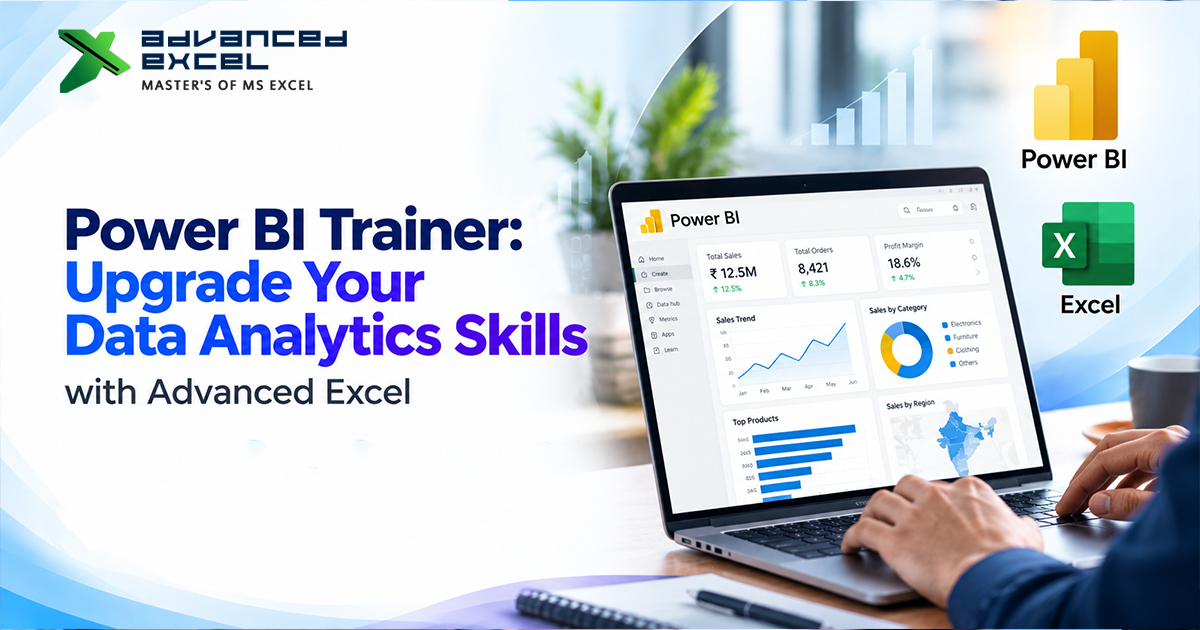
Interactive Dashboards – View business information in the form of charts, tables, cards and filters.
Efficient Reporting – Reduce repetitive manual tasks by creating reusable reports and automatically refreshing.
Data-Driven Decisions – Easily identify trends, opportunities and performance issues using meaningful visuals.
Improved Collaboration – Reports can be shared with relevant colleagues using Power BI services.
Easy to Scale – Collect data from several different sources to create detailed business reports.
This makes Power BI a useful tool in many industries such as education, finance, health, retail, manufacturing, consultancy and IT.
What Will You Learn from a Power BI Trainer?
A structured training course will teach you the entire reporting process. At Advanced Excel learners will understand important Power BI concepts.
- Power BI Basics
Learn about Power BI and understand Power BI Desktop, Power BI Service, reports, dashboards and datasets/semantic models.
- Power Query (Cleaning Data)
Many times business data will contain blank cells, duplicates, inconsistent data and unwanted columns. Power Query can help to clean your data. You will learn how to import your datasets, clean any errors, change data types, join tables and create reusable transformations.
- Data Modelling
Having a good data model can help you to create accurate reports. Understand how to link tables together and how to use primary and foreign keys. Also understand how to use date tables. Understanding good modelling practices can help with accurate calculations.
- DAX Formulas
Data Analysis Expressions (DAX) can create calculations for your business reports. You will learn how to use the important functions such as SUM, COUNT, DISTINCTCOUNT and CALCULATE. You can create measures to calculate revenue, profit, sales growth etc.
- Creating Dashboards
Understand how to create interactive reports using bar charts, line charts, cards, matrices, slicers, filters and drill-through. You will create dashboards to show important information.
- Publishing Reports
Learn how to publish your reports using Power BI Service. Understand how to set the correct sharing options. Also understand how to automatically refresh your data. This will help you to understand how to work with reporting requirements.
Each concept can be developed further using practical tasks.
Power BI Corporate Training
Organisations often invest in upskilling employees to improve reporting, efficiency and data driven decision making. Power BI Corporate Training can help teams to have a good understanding of preparing data, creating dashboards and business intelligence.
Corporate training can be tailored to suit any reporting processes that your organisation currently uses. For example, finance teams may want to create dashboards to track budgets and expenses. Sales teams may want to track targets, revenue, customer segments and regional performance.
A well planned learning programme may include:
Tailored Training – Training can be tailored to your teams knowledge and reporting requirements.
Real World Tasks – Employees can practice using sample data sets that are similar to real life situations.
Consistent Reporting – Teams can learn how to consistently clean data, create calculations, dashboards and document.
Increased Efficiency – Create reusable reports and transformations to save time.
Collaboration – Employees can discuss any issues with their reporting and share techniques. They can also gain a shared language when analysing data.
Advanced Excel can be considered if you want to improve your employees’ knowledge of Excel, Power BI and other reporting tools. Confirm what options are available for your corporate training, if it can be tailored, if the trainer has experience and what the timing is like.
Choosing a Power BI Training Institute
Choosing the right Power BI training institute is an important decision to make. The course should help you put your knowledge to use.
Consider the following:
Qualified Instructors – Ensure the trainer can explain technical concepts clearly and how they can be applied in business.
Full Syllabus – Ensure the course covers Power Query, Data Modelling, DAX, Visualisation and Publishing.
Tasks – Practical tasks can help you to identify any mistakes and understand how each feature works.
Real World Projects – Sales dashboards, financial analysis and inventory reports.
Flexible Timing – If you are a working professional ensure there are suitable timings for your batches or online learning.
Support – Ensure there are sessions to help clear any doubts, give feedback on projects and after training support.
Advanced Excel will help you to learn practically and improve your analytical skills. Ensure the course has the right syllabus, duration, cost, method of training and project requirements to fit your needs.
Who Should Learn Power BI?
Power BI can be learnt by anyone regardless of their educational background. Having some basic knowledge of spreadsheets can be useful but beginners can start from the basics.
Students and new graduates can improve their resume by creating dashboards and analysing data.
Excel professionals can improve their reporting skills by learning how to create interactive visuals, data models and DAX calculations.
MIS Executives and Reporting professionals can learn how to improve repeated reports and track business performance.
Finance and Accountancy teams can analyse budgets, expenses, profitability and trends.
Sales and Marketing professionals can track customer behaviour, campaign performance, revenue and sales targets.
Managers and business owners can track performance indicators using dashboards.
The best way to learn is with guidance, regular practice and real life projects relating to your professional interests.
Career Opportunities
Improving your Power BI skills can help you to progress in your career. Depending on your qualifications and experience you could become a Data Analyst, Business Intelligence Analyst, MIS Executive, Reporting Analyst, Business Analyst or Sales Analyst.
Often employers will look for more than just knowledge of the software. They will want you to have problem solving skills, good communication, an understanding of business and be able to explain your analysis.
Create projects that solve real life problems to improve your portfolio. For example, create a sales dashboard to track monthly revenue, regional performance and target achievement. Or create an expense analysis report or inventory dashboard.
Ensure you document where your data came from, what cleansing was done, what calculations were made and what insights you have gained. This shows you can apply your knowledge to real life situations.
Why Choose Advanced Excel?
Advanced Excel will help you gain practical skills. Learning Excel and Power BI can be very beneficial as many organisations use spreadsheets to capture and store data. They then transform this into interactive reports.
By learning these skills you will improve your ability to clean data sets, create calculations, visualisations and present business findings. A structured learning plan can also help professionals identify any gaps in their knowledge and help them achieve their career goals.
When discussing with the training company ensure you mention your experience and goals so they can help you with the most relevant modules and projects.
Conclusion
Power BI is an important tool for businesses looking to improve their reporting. By learning how to transform data, create data models, DAX, dashboards and publish reports you can gain valuable analytical skills.
At Advanced Excel you can discover training opportunities to improve your data analysis and reporting skills. Whether you are new to analytics or want to improve your team’s capabilities choosing the right learning programme can help you to build a strong foundation.
Look at the training details, practice using real life data sets and create projects to show your abilities. By consistently learning you will be able to make the most out of your data and prepare for future workplace requirements.