If you work with data, you’ve probably asked this at least once…
? Should I use Excel or Power BI? And honestly, it’s a valid question.
Both tools are powerful. Both are used for data analysis. But they are not the same.
Some people stick with Excel for everything. Others jump to Power BI, thinking it’s the future.
But the truth is… it depends on what you actually need.
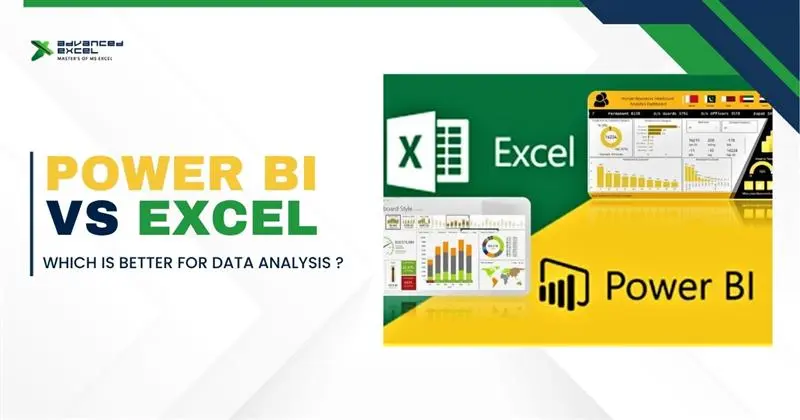
So in this guide, we’ll break down Power BI vs Excel in a simple, practical way — so you can decide what works better for you.
Understanding the Basics First
Before comparing, let’s quickly understand both tools.
What is Excel?
Excel is one of the most widely used tools for data handling.
You can:
- Store data
- Apply formulas
- Create charts
- Build reports
It’s flexible and easy to start with.
Most people begin their data journey with Excel.
What is Power BI?
Power BI is a business intelligence tool.
It is mainly used for:
- Data visualization
- Dashboard creation
- Real-time reporting
- Data modeling
It’s more advanced and designed for handling large datasets.
Key Difference Between Power BI and Excel
In simple terms:
? Excel = Data handling + calculations
? Power BI = Data visualization + insights
Excel is more like a working tool, while Power BI is more like a presentation and analysis tool.
Power BI vs Excel: Detailed Comparison
Let’s compare both based on real usage.
1. Data Size Handling
Excel:
- Works well with small to medium data
- Slows down with large datasets
Power BI:
- Handles large data easily
- Built for big data analysis
? If your data is huge ? Power BI wins
2. Ease of Use
Excel:
- Easy to learn
- Beginner-friendly
Power BI:
- Slight learning curve
- Needs understanding of DAX and data modeling
? Beginners usually start with Excel
3. Data Visualization
Excel:
- Basic charts and graphs
- Limited dashboard features
Power BI:
- Advanced interactive dashboards
- Real-time visuals
? For dashboards ? Power BI is better
4. Automation & Refresh
Excel:
- Mostly manual updates
- Limited automation
Power BI:
- Automatic data refresh
- Real-time updates
? Power BI saves time in the long run
5. Data Modeling
Excel:
- Limited data relationships
Power BI:
- Strong data modeling
- Multiple data sources
? Power BI is more powerful here
6. Collaboration
Excel:
- File sharing (email, drive)
- Version issues sometimes
Power BI:
- Cloud-based sharing
- Easy collaboration
? Teams prefer Power BI
When Should You Use Excel?
Excel is still very powerful.
You should use Excel when:
- You’re working with small datasets
- You need quick calculations
- You are creating simple reports
- You are a beginner
Excel is perfect for daily tasks and quick analysis.
When Should You Use Power BI?
Power BI is better when:
- You are handling large datasets
- You need dashboards
- You want real-time data updates
- You are working in a team
It is ideal for business reporting and decision-making.
Can You Use Both Together?
Yes… and actually, this is the best approach.
Many professionals:
- Use Excel for data cleaning
- Use Power BI for visualization
? This combination gives the best results.
Common Mistakes People Make
Many people think:
? “Power BI will replace Excel.”
But that’s not true.
Excel is still widely used and not going anywhere.
Instead of replacing, Power BI complements Excel.
Real-Life Example
Let’s say you are analyzing sales data:
- In Excel ? you calculate totals, clean data
- In Power BI ? you create dashboards and insights
? Together, they create a complete workflow
Which One Should You Learn First?
If you’re starting:
? Start with Excel
Then move to:
? Power BI
Because:
- Excel builds a foundation
- Power BI builds advanced skills
Final Thoughts
So… Power BI vs Excel — which is better?
The answer is simple:
? Both are important — for different purposes
- Excel is great for working with data
- Power BI is great for analyzing and presenting data
If you want to grow in data analysis, learning both tools is the best decision.
Advanced Excel provides practical, industry-focused training to help you master Excel and Power BI with real-world skills.